5. Mining and wallet sync
You have funded Account 2 and sent a payment. In the default auto mode both
operations mine a confirming block for you. This chapter mines explicitly and
follows a block from the node to the wallet and browser.
Mining asks Zakura to generate Regtest blocks on demand. A transaction is confirmed when the node reports it in a block on its current chain with a block hash. That does not instantly make every wallet view current: lightwalletd still has to index the block, and the wallet still has to scan and reconcile it.
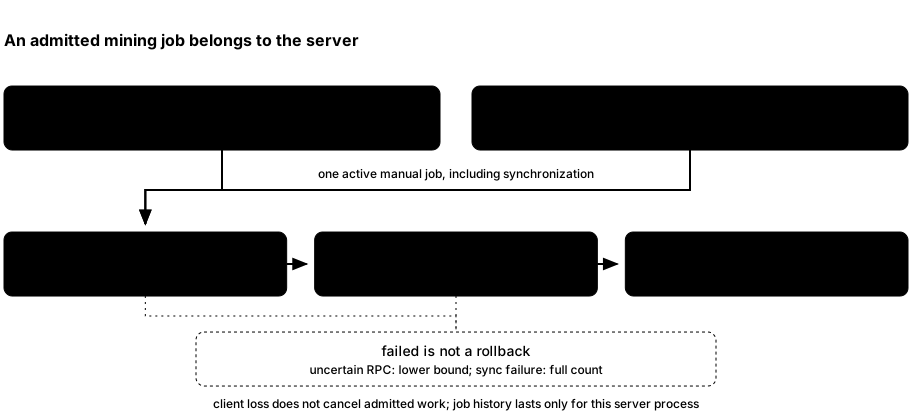
ths mine Nand the dashboard Mine dialog callPOST /api/v1/mining/jobswith a block count and idempotency key; each receives HTTP 202 and a job before mining finishes. The server accepts 1–10,000 blocks.- Zakura generates blocks and returns their hashes. The server asks Zakura for the last returned block’s height.
- The wallet waits for lightwalletd to index that height, scans compact blocks, reconciles against Zakura’s canonical block hashes, and publishes a fresh user-account snapshot at a matching checkpoint.
- The server notifies dashboard clients of a
chainupdate. After successful synchronization, the CLI returnsblocksandhashes; the dashboard job becomescompleted. If a step after generation fails, the CLI returns an error and the job becomesfailed, even though blocks may already exist.
Mining modes
An instance is started in exactly one mining mode, chosen by a ths start
flag. The mode never changes for the server’s lifetime.
| Mode | Who produces the block |
|---|---|
auto (default) | The payment, faucet, or treasury operation itself. |
interval | A background task, one empty block every --block-time seconds. |
mempool | A background task, when the mempool holds a new, nonempty transaction set. |
manual | Nobody, until you run ths mine. |
Funding the development accounts during startup mines regardless of mode, so an instance is always ready to use. What changes is the chain’s progress after startup:
- In
intervalandmempool, the background task produces blocks directly, not through the manual mining coordinator. Those blocks therefore do not count toward aths minejob’s requested block count, and a manual job is never interleaved with them. mempoolremembers the last transaction set it tried to mine. It only mines a new block when that set changes, so a transaction the node cannot include does not make the server generate a stream of empty blocks. The one exception is a faucet payment waiting on treasury coinbase maturity: it mines the blocks it needs itself, because an empty mempool never triggers the background task.- In
manual, a payment is submitted and left pending. It confirms once a block that includes it arrives, normally fromths mine.
GET /api/v1/status reports the exact mode as mining_mode. It also keeps the
legacy boolean auto_mine (true only in auto mode), plus block_time in
interval mode and mine_on_mempool in mempool mode. The dashboard’s Network
page reads mining_mode and names the rule in words.
Mine and inspect one result
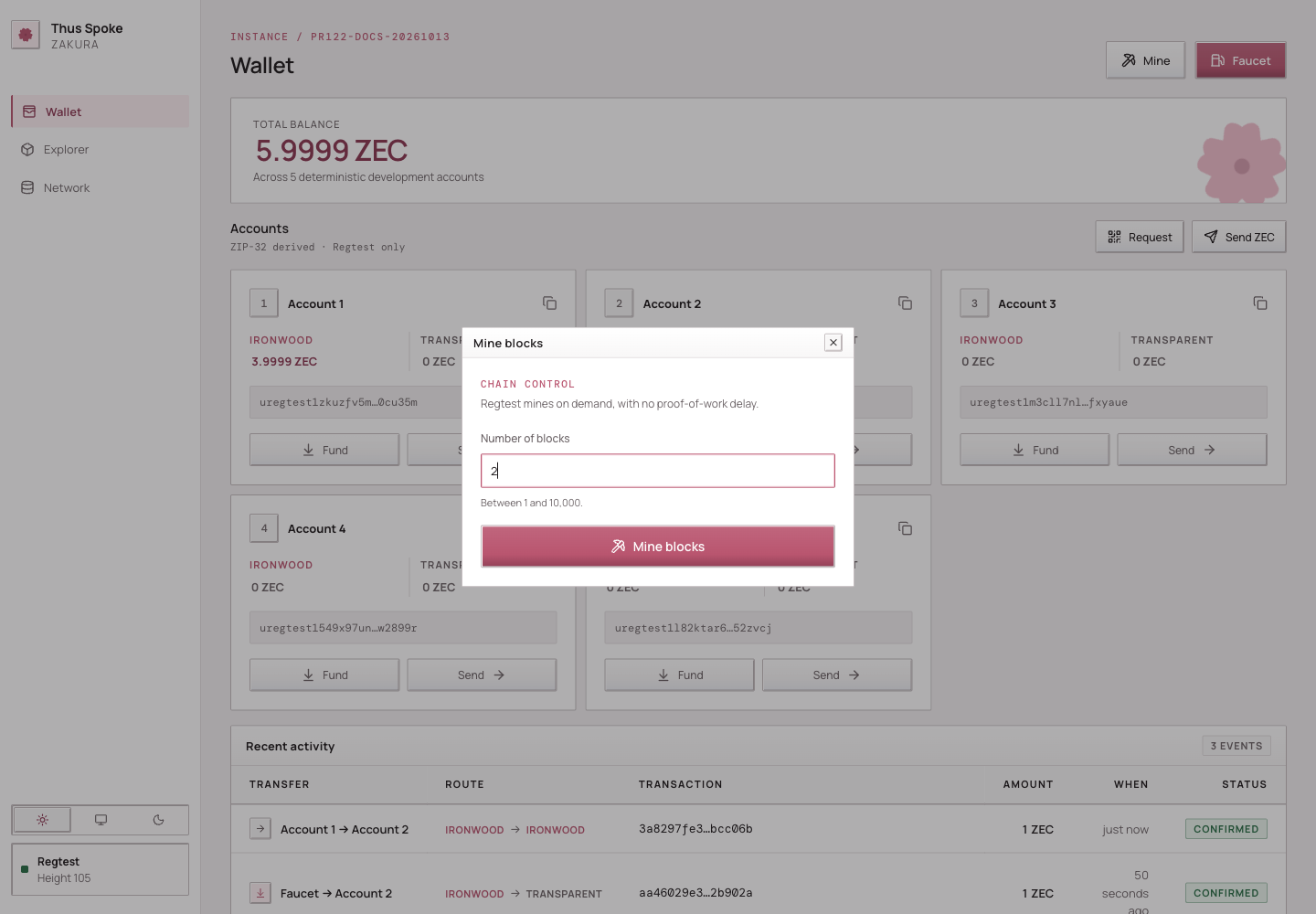
In the second terminal from Chapter 1, mine two blocks:
$ ths mine 2
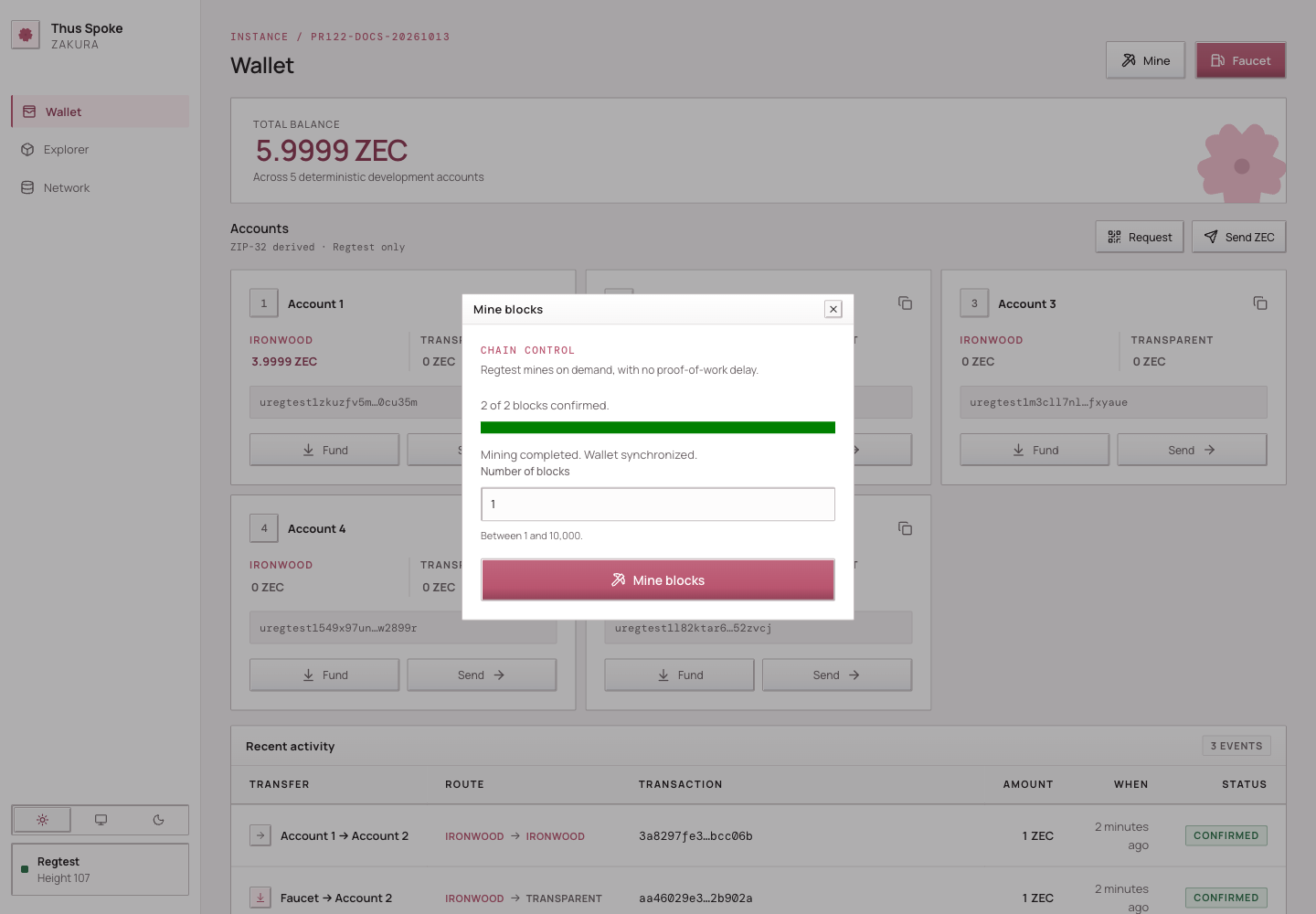
2 of 2 blocks confirmed on default. Mining completed. Wallet synchronized. New tip: 9ef8f0064e3f088f2012fe04d5d70b42f00ae1e9676cdc3d5384ad31d384b8c4
The tip hash differs on every run. Regtest has no proof-of-work delay; completion also waits for indexing and wallet scanning. The dashboard’s Mine dialog starts a job and shows its progress. Do not run both if you intend to add only two blocks.
Follow mining progress in the dashboard
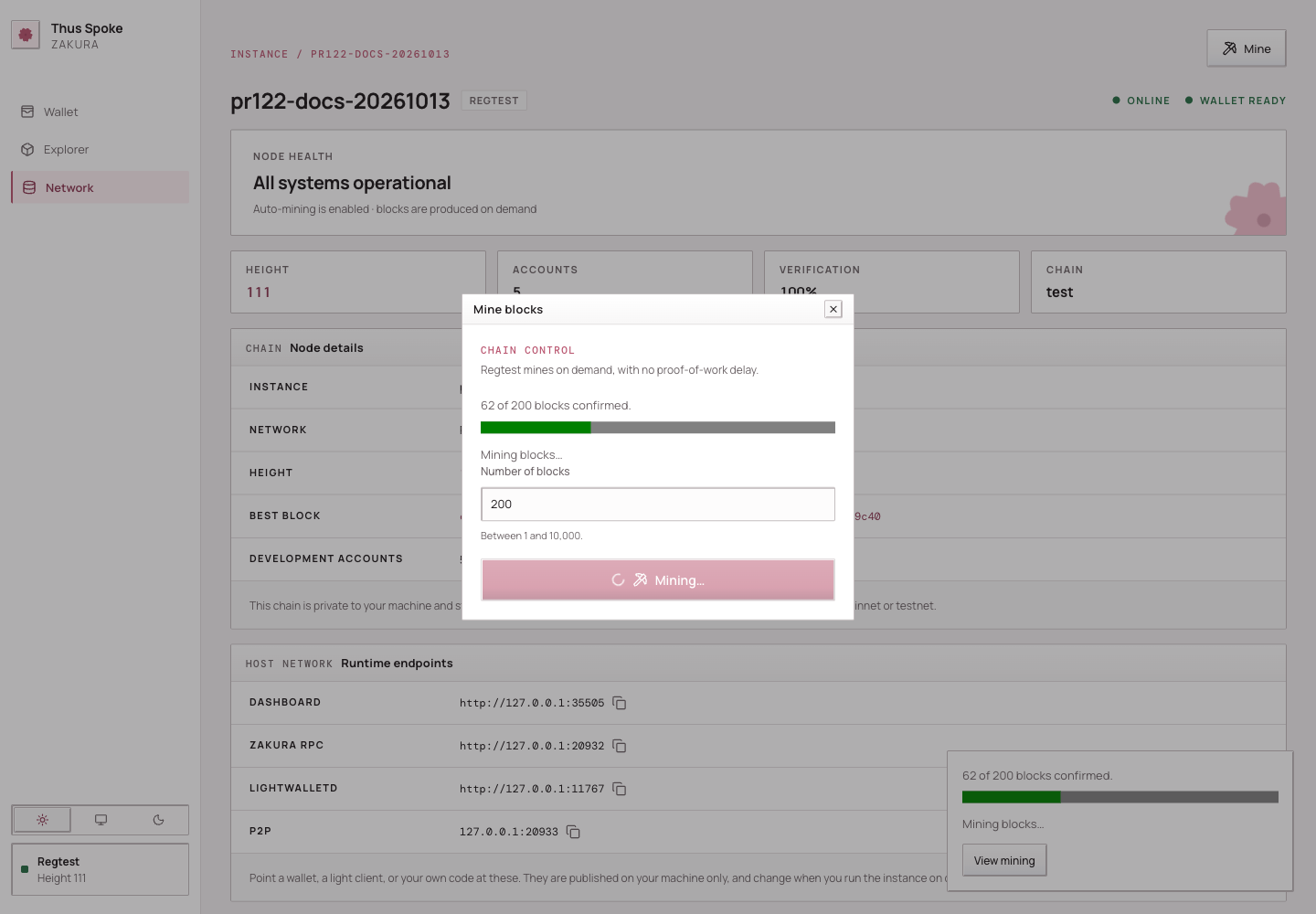
The Mine dialog shows block-generation progress, then syncing while the
wallet catches up. A job becomes completed only after synchronization
succeeds; generation or synchronization errors leave it failed. Only one
manual job can be active, including its synchronization phase.
The dashboard reads GET /api/v1/mining/jobs for the latest job, or
GET /api/v1/mining/jobs/{id} for a specific job. Reusing an accepted key with
the same block count returns the same job within that server lifetime.
ths mine saves its key in the instance directory before submission and polls
for progress. A lost or undecodable response, interruption, or 300-second
polling timeout leaves the key in place. Rerun the command with the same block
count to resume that job. Once the job finishes, the CLI clears its key, so
repeating the command starts new mining. Each poll is capped at two seconds.
On completion, the CLI reports the confirmed count and mined tip hash; errors
include the job ID. --json includes the legacy blocks and hashes fields
alongside the job’s ID, state, and progress.
Before starting a job, the dashboard retains its idempotency key in browser session storage. If browser policy denies storage access or the key cannot be saved, the Mine dialog stays open and shows a storage error; no mining request is sent. Allow site storage before retrying. After an uncertain response, keep the existing session storage so a retry can reuse the same key.
If storage cleanup fails after the server accepts a job, the dashboard still shows the accepted job and follows its progress. The dialog reports cleanup failure separately; it does not mean the mining request was rejected.
Read the node and wallet view through the running instance’s API:
DASHBOARD_URL="$(ths endpoints --json | python3 -c 'import json,sys; print(json.load(sys.stdin)["dashboard"])')"
curl -fsS "$DASHBOARD_URL/api/v1/status"
curl -fsS "$DASHBOARD_URL/api/v1/accounts"
ths status reports the combined app, Zakura, and lightwalletd container state
and endpoints, not chain height or settlement. Use ths wait when a script
needs the node, index, and wallet settled at one tip. In
GET /api/v1/status, node.blocks is the node height and
node.bestblockhash is the tip hash.
The wallet fields mean:
| Field | Meaning |
|---|---|
wallet_sync.state | ready, syncing, or error for the server’s last synchronization attempt. |
observed_height and observed_hash | The node checkpoint the server most recently observed. |
fully_scanned_height and fully_scanned_hash | The wallet checkpoint it has scanned and validated; these can be null below the wallet birthday. |
error | Why the last attempt failed, if it did. |
last_success_at | Unix time of the last successful snapshot publication. |
After a successful ths mine on the normal running example, the wallet
has reconciled through the mined tip before the response. An independent
chain change can happen later, so use the current status fields when making
a decision. GET /api/v1/accounts serves the last wallet snapshot; it
does not calculate balances from node.blocks.
A same-height chain change still matters
A block height is a position; a block hash identifies the block at that
position. A reorganization replaces one branch of recent blocks with
another. A local chain can reorganize and replace a block with another at
the same height: height H may have hash A, then hash B. The server
compares hashes, finds a common checkpoint, rewinds its wallet scan when
necessary, and scans the canonical chain again. It publishes balances only
after reconciliation succeeds.
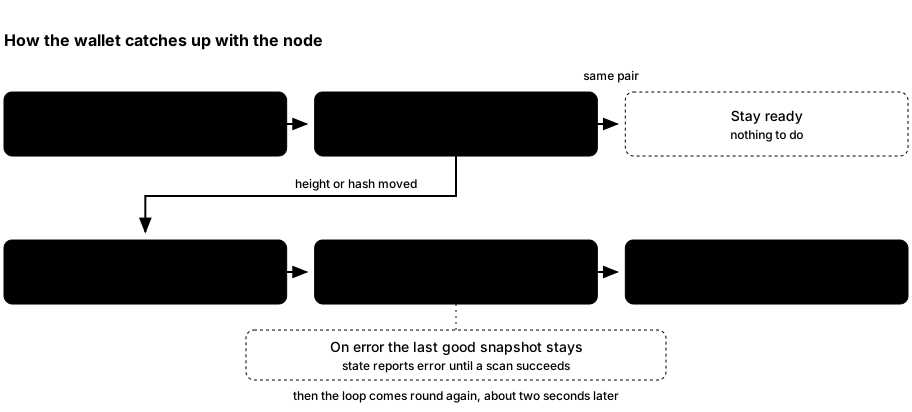
- About every two seconds, the background loop asks Zakura for the current checkpoint. A changed height or hash starts reconciliation.
- The wallet checks its scanned chain against Zakura and uses lightwalletd’s compact blocks to catch up. A mismatch can require a rewind and rescan. It also imports mined transaction history for public transparent addresses, including transactions created by another wallet using the development accounts. This records spent outputs as well as incoming funds. Each address has durable history progress; existing wallets backfill from their birthday on the first run with this support.
- On success, the server refreshes account balances, marks sync
ready, and notifies dashboard query hooks. On failure it reportserror; the last known balances can remain visible and may be stale.
Transparent history must catch up through the scanned checkpoint before that snapshot is published. Interrupted history requests retain their last complete progress and retry; a reorganization rewinds history progress with the wallet. This does not add external transactions to the request-based Recent activity feed.
This is why the Network page, Explorer, Recent activity, and Wallet page can show different stages of one event. They are observations of different owners, not four copies of one database. Revisit the state ownership diagram if that distinction is unclear.
The local chain uses NU7 rules from height 1, including a 25-second target,
shielded action limits, and fee recycling into the network sustainability
mechanism (NSM). An instance started with
--nu7-height uses NU6.3 rules below that height and
NU7 rules from it. Regtest blocks are still generated on demand with ths mine.
Next: learn what to do when a payment or mining response is uncertain.